
操作系统MIT 6.S081 xv6内核(二):Util实验
sleep实验
1 |
|
测试: 1
./grade-lab-util sleep
pingpong实验
思路没什么问题,问题在于细节,例如pid_t pid =
fork()的位置要放在判断前,不要放前面初始化;此外%d: received pong。
1
2
3
4
5
6
7
8
9
10
11
12
13
14
15
16
17
18
19
20
21
22
23
24
25
26
27
28
29
30
31
32
33
34
35
36
37
38
39
40
41
42
43
44
45
46
47
48
49
50
51
52
int main(){
int pipe1[2]={0};
int pipe2[2]={0};
char data[1]={'T'};
if(pipe(pipe1)<0){
printf("pipe1 failed\n");
exit(-1);
}
if(pipe(pipe2)<0){
printf("pipe2 failed\n");
exit(-1);
}
pid_t pid = fork();
if(pid<0){
printf("fork failed\n");
exit(-1);
}
else if(pid == 0){
if(read(pipe1[0],data,1)!=1){
printf("pipe1 recv failed\n");
exit(-1);
}
close(pipe1[0]);
printf("pid_t pid = fork();",getpid());
if(write(pipe2[1],data,1)!=1){
printf("pipe2 send failed\n");
exit(-1);
}
close(pipe2[1]);
exit(0);
}
else{
if(write(pipe1[1],data,1)!=1){
printf("pipe1 send failed\n");
exit(-1);
}
close(pipe1[1]);
if(read(pipe2[0],data,1)!=1){
printf("pipe2 recv failed\n");
exit(-1);
}
close(pipe2[0]);
printf("%d: received pong\n",getpid());
wait(NULL);
exit(0);
}
}
primes实验
1 |
|
find 实验
find命令:在指定的目录或者其子目录下寻找文件或者目录;
如: 1
2
3
4
5
6
7
8echo > b #在当前目录创建空白文件b
mkdir a #新建子目录a
echo > a/b #在子目录a中创建空白文件b
find . b #在当前目录及子目录寻找b
#正确的结果
./b
./a/b
find的实现与ls有重叠的地方,因此解析一下ls的实现代码:
1
2
3
4
5
6
7
8
9
10
11
12
13
14
15
16
17
18
19
20
21
22
23
24
25
26
27
28
29
30
31
32
33
34
35
36
37
38
39
40
41
42
43
44
45
46
47
48
49
50
51
52
53
54
55
56
57
58
59
60
61
62
63
64
65
66
67
68
69
70
71
72
73
74
75
76
77
78
79
80
81
82
83
84
85
86
//fmtname:在路径path中,截取文件名,例如ls /usr/local/test.c得到test.c
char* fmtname(char *path)
{
static char buf[DIRSIZ+1]; //存储文件名数组
char *p;
// Find first character after last slash.
for(p=path+strlen(path); p >= path && *p != '/'; p--) //开始时p指向末尾('\0'),p指针前移,直到找到'/'
;
p++; //如果找到斜杠,++就是指向文件名第一个字符,如test.c的t,如果输入路径没有斜杠,就是第一个字符
// Return blank-padded name.
if(strlen(p) >= DIRSIZ) //文件名长度不能大于DIRSIZ,这是文件系统规定的
return p;
memmove(buf, p, strlen(p)); //将p后strlen(p)个字节复制到buf静态缓冲区,也即test.c\0都复制过去了
memset(buf+strlen(p), ' ', DIRSIZ-strlen(p)); //如果文件名长度不是DIRSIZ,就用空格填充,主要是对齐问题
return buf; //返回文件名
}
//接收路径或者路径下的文件,返回其信息
void ls(char *path)
{
char buf[512], *p;
int fd;
struct dirent de; //目录项消息
struct stat st; //fstat、stat填充的结构体,存储文件或者目录信息:文件类型(目录还是文件)、文件inode、所有者、组、文件大小等
if((fd = open(path, 0)) < 0){ //打开路径
fprintf(2, "ls: cannot open %s\n", path);
return;
}
if(fstat(fd, &st) < 0){ //fstat获取文件信息,填充结构体st
fprintf(2, "ls: cannot stat %s\n", path);
close(fd);
return;
}
switch(st.type){ //根据参数的文件类型
case T_FILE: //如果是文件,就获取文件名,打印文件信息
printf("%s %d %d %l\n", fmtname(path), st.type, st.ino, st.size);
break;
case T_DIR: //如果是目录
if(strlen(path) + 1 + DIRSIZ + 1 > sizeof buf){ //路径超长,退出
printf("ls: path too long\n");
break;
}
strcpy(buf, path);
p = buf+strlen(buf); //p指向路径末尾\0
*p++ = '/'; //末尾补充斜杠,因为后面准备找子目录
while(read(fd, &de, sizeof(de)) == sizeof(de)){ //循环读取目录下面的目录项给结构体de
if(de.inum == 0) //目录为空,忽略
continue;
memmove(p, de.name, DIRSIZ); //在斜杠后面加子目录名字,注意p是一个指针,buf存储的是目录,如buf现在是/usr/\0,p指向就是\0
p[DIRSIZ] = 0; //现在假设加上子目录local,现在buf变成/usr/local\0
if(stat(buf, &st) < 0){
printf("ls: cannot stat %s\n", buf);
continue;
}
printf("%s %d %d %d\n", fmtname(buf), st.type, st.ino, st.size); //打印目录信息
}
break;
}
close(fd);
}
int
main(int argc, char *argv[])
{
int i;
//如果只有一个ls,就是查看当前目录
if(argc < 2){
ls(".");
exit(0);
}
//多个参数,那就逐个查看,例如ls / /usr,依次打印根目录、/usr及其子目录信息。
for(i=1; i<argc; i++)
ls(argv[i]);
exit(0);
}
find代码: 1
2
3
4
5
6
7
8
9
10
11
12
13
14
15
16
17
18
19
20
21
22
23
24
25
26
27
28
29
30
31
32
33
34
35
36
37
38
39
40
41
42
43
44
45
46
47
48
49
50
51
52
53
54
55
56
57
58
59
60
61
62
63
64
65
66
67
68
69
70
71
72
73
74
75
76
77
78
79
80
81
82
83
84
85
char* fmtname(char *path)
{
static char buf[DIRSIZ+1];
char *p;
// Find first character after last slash.
for(p=path+strlen(path); p >= path && *p != '/'; p--)
;
p++;
// Return blank-padded name.
if(strlen(p) >= DIRSIZ)
return p;
memmove(buf, p, strlen(p));
memset(buf+strlen(p), ' ', DIRSIZ-strlen(p));
return buf;
}
void find(char *path,char *filename){
char buf[512], *p;
int fd;
struct dirent de;
struct stat st;
if((fd = open(path, 0)) < 0){ //打开路径
fprintf(2, "ls: cannot open %s\n", path);
return;
}
printf("open success!\n");
if(fstat(fd, &st) < 0){ //fstat获取文件信息,填充结构体st
fprintf(2, "ls: cannot stat %s\n", path);
close(fd);
return;
}
printf("fstat success!\n");
switch(st.type){
case T_FILE:
if(strcmp(de.name,filename)==0){
printf("%s%s\n",path,filename);
}
break;
case T_DIR:
if((strlen(path)+1+DIRSIZ+1)>sizeof(buf)){
printf("find:path too long\n");
exit(-1);
}
strcpy(buf,path);
p=buf+strlen(buf);
*p++='/';
while(read(fd,&de,sizeof(de))==sizeof(de)){
printf("%s\n",de.name);
if(de.inum==0||(strcmp(de.name,".")==0)||(strcmp(de.name,"..")==0))
continue;
memmove(p,de.name,DIRSIZ);
p[DIRSIZ]=0;
printf("%s\n",buf);
if(stat(buf, &st) < 0){
printf("find: cannot stat %s\n", buf);
continue;
}
if(st.type==T_FILE){
if(strcmp(de.name,filename)==0){
printf("%s\n",buf);
}
}
else if(st.type==T_DIR){
find(buf,filename);
}
}
break;
}
close(fd);
}
int main(int argc,char *argv[]){
if(argc!=3){
printf("find <Dir> <filename>\n");
exit(-1);
}
find(argv[1],argv[2]);
exit(0);
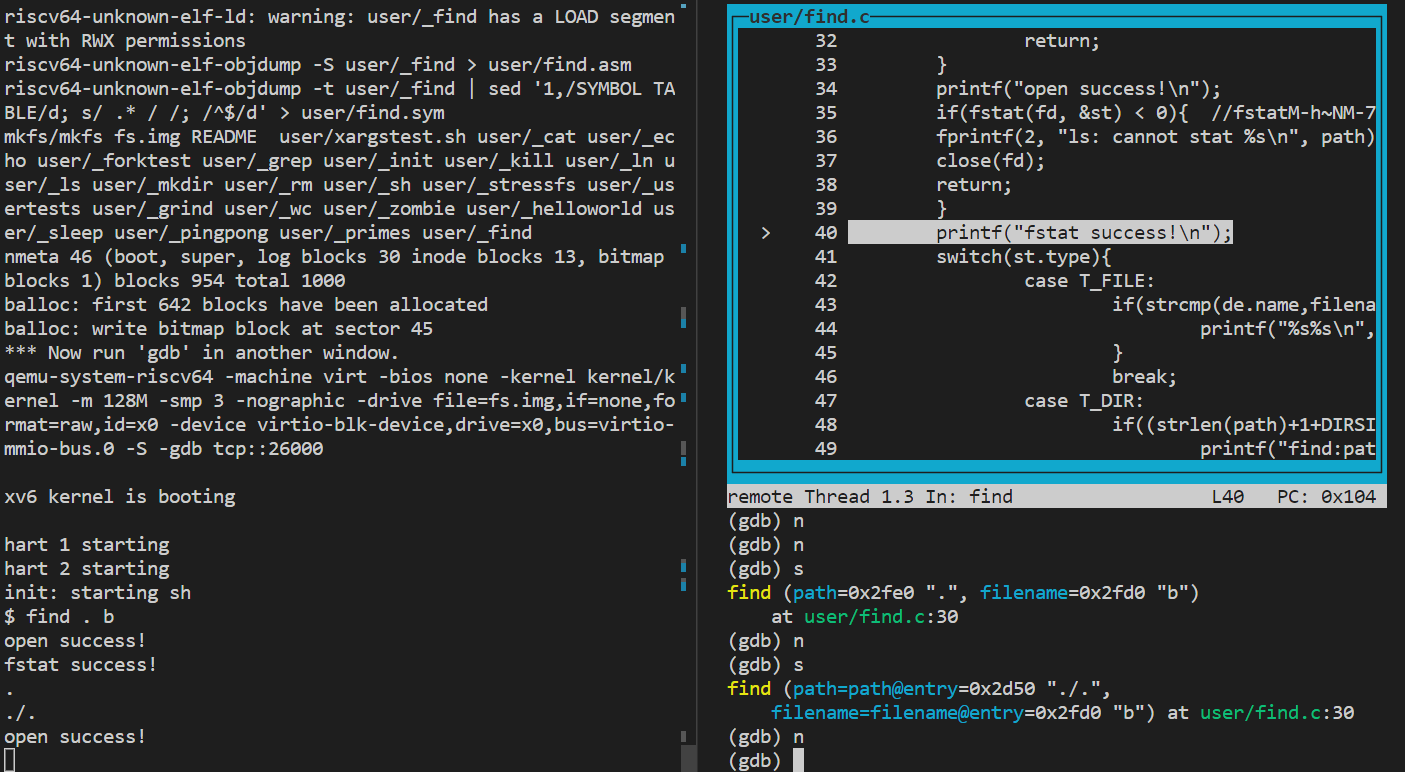
}
xargs实验
xargs能够将标准输入数据转换成命令行参数,经常结合管道、其他命令一起使用:
1
echo hello |xargs echo bye
1 | find . -type f -name '*.txt'|xargs grep 'Happy' |
find在当前目录寻找x.txt的文件,如果找到会将参数传给xargs,xargs将这些参数作为输入传给grep,grep在其中搜索文本“Happy”。
此外,xargs也可以将多行文本变成单行,将单行文本显示成单行,具体参考:https://wangchujiang.com/linux-command/c/xargs.html
xargstest.sh内容: 1
2
3
4
5
6mkdir a
echo hello > a/b
mkdir c
echo hello > c/b
echo hello > b
find . b | xargs grep hello
一段参考的代码思路如下: 1
2
3
4
5
6
7
8
9
10
11
12
13
14
15
16
17
18
19
20
21
22
23
24
25
26
27
28
29
30
31
32
33
34
35
36
37
38
39
40
41
42
43
44
45
46
47
48
49
50
51
52
53
54
55
56
57
58
59
60
61
62
63
64
65
66
67
68
69
70
71
72
73
74
75
76
77
78
79
80
81
82
83
84
void copy(char **p1, char *p2){
*p1 = malloc(strlen(p2) + 1); //深拷贝,将p2内存拷贝到p1
strcpy(*p1, p2);
}
//readLine将stdin参数按空格分割,存入pars数组,接收起始下标i,返回最后填充完的新下标i
int readLine(char **pars, int i){
int d = 1024;
char buf[d]; //1024字节
int j = 0;
// 读取1行
while (read(0, buf + j, 1)){ //从输入流读取1字节字符
// 按行划分
if (buf[j] == '\n'){ //回车,命令到末尾了,跳出
buf[j] = 0;
break;
}
j++; //读取命令,有可能是空格、普通字符
if (j == d){ //字符过长
fprintf(2, "Parameters are too long!\n");
exit(1);
}
}
// 没有读取内容
if (j == 0){
return -1;
}
// 按照空格划分
int k = 0;
while (k < j){ //j是命令字符长度,包含普通字符、空格
if (i > MAXARG){ //超过最大参数
fprintf(2, "Too much parameters!\n");
exit(1);
}
// ' abc sdf'
// 忽略
while ((k < j) && (buf[k] == ' ')){
k++; //跳过起始的空格
}
// 起始位置
int l = k; //起始字符位置
// 保留字符
while ((k < j) && (buf[k] != ' ')){
k++;
}
// 注意需要k++
buf[k++] = 0;
copy(&pars[i], buf + l); //将字符串按空格分割,存储到pars数组
i++;
}
return i;
}
int main(int argc, char *argv[]){
if (argc < 2){
printf("Please enter more parameters!\n");
exit(1);
}else{
int i;
char *pars[MAXARG];
for (i = 1; i < argc; i++){ //argv[1]开始为命令参数
copy(&pars[i - 1], argv[i]); //将命令参数复制到pars数组
}
int end;
while ((end = readLine(pars, argc - 1)) != -1){ //读取来自stdin的argv参数,end是数组最后坐标
pars[end] = 0; //数组结束符
if (fork() == 0){
exec(pars[0], pars); //调用exec执行命令
exit(1);
}else{
wait(0);
}
}
exit(0);
}
}
提交
所有测试通过后可以使用 1
make grade